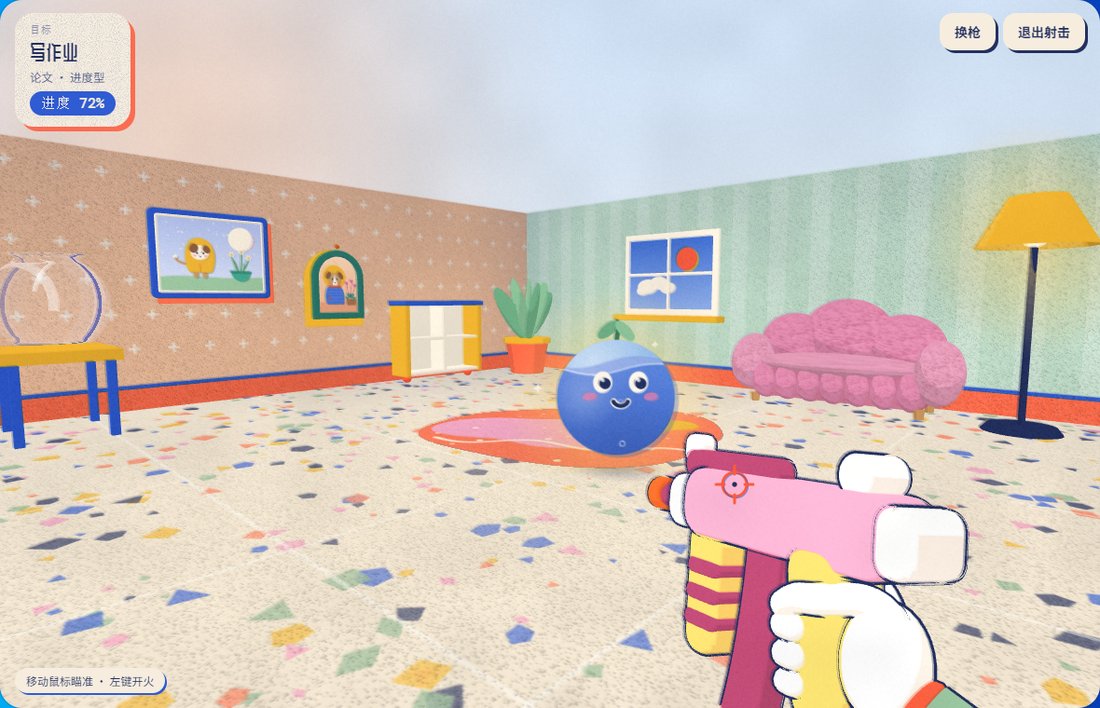
v0.4.1 🖥️ 可常驻桌面角落,随手拖动、缩放 🖥️ Lives on your desktop — drag and resize anytime

把待办,变成房间里
可以一枪打中的小事
A cozy to-do for tiny wins

如果完成日常任务,也能像玩游戏一样有趣一点,会怎么样?Pew Pew Jar(成就暴击)为日常任务增添了一点游戏感——把你的进展变成看得见、可以收集、还能回顾的东西,一次一点。

What if getting things done felt a little more like playing a game? Pew Pew Jar brings a playful twist to everyday tasks — turn your progress into something you can see, collect, and look back on, one small win at a time.

让日常的每一点进步,都有值得庆祝的成就感。

Make everyday progress feel like an achievement.

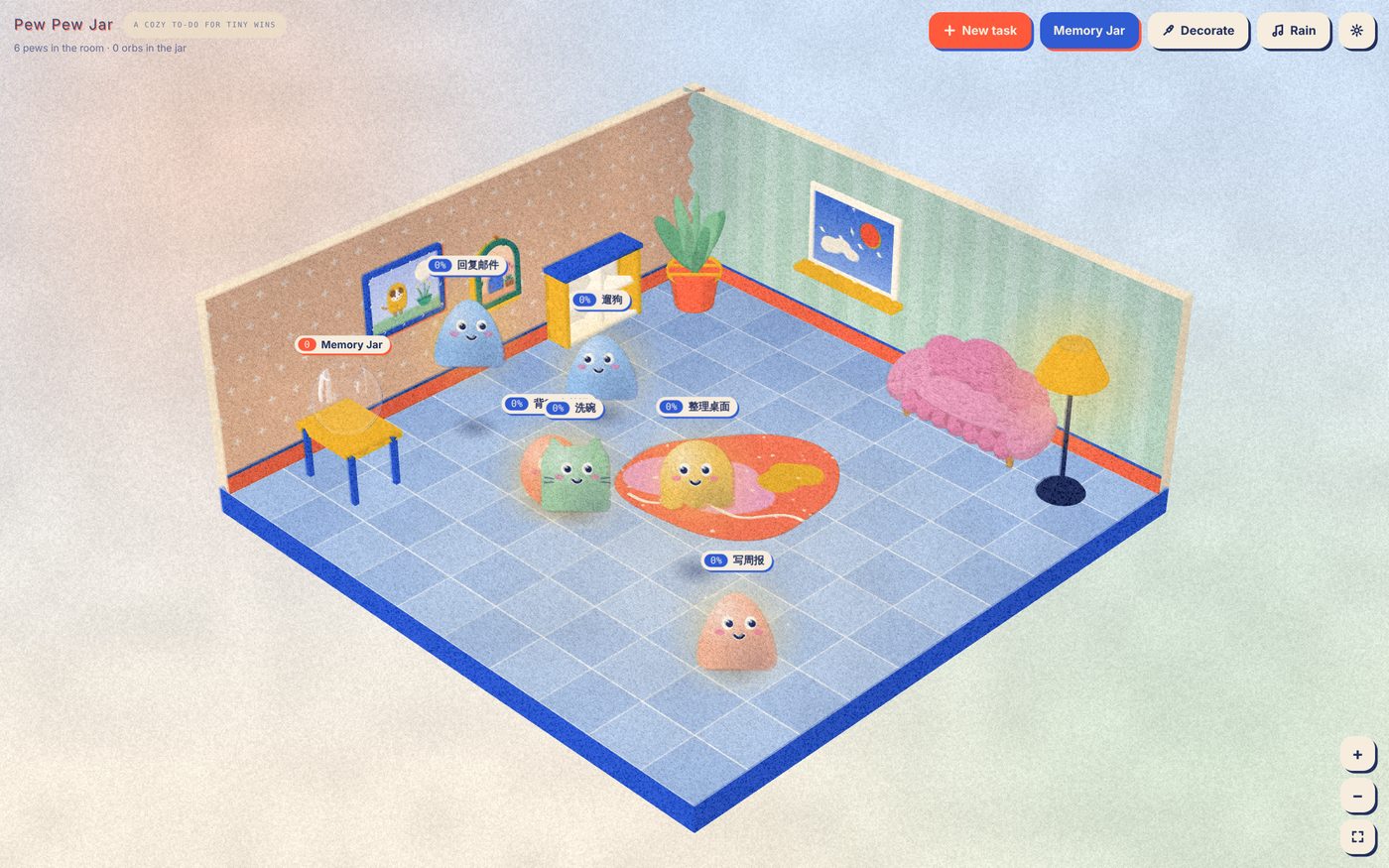
Pew Pew Jar — an isometric riso-art room full of task 'pews'
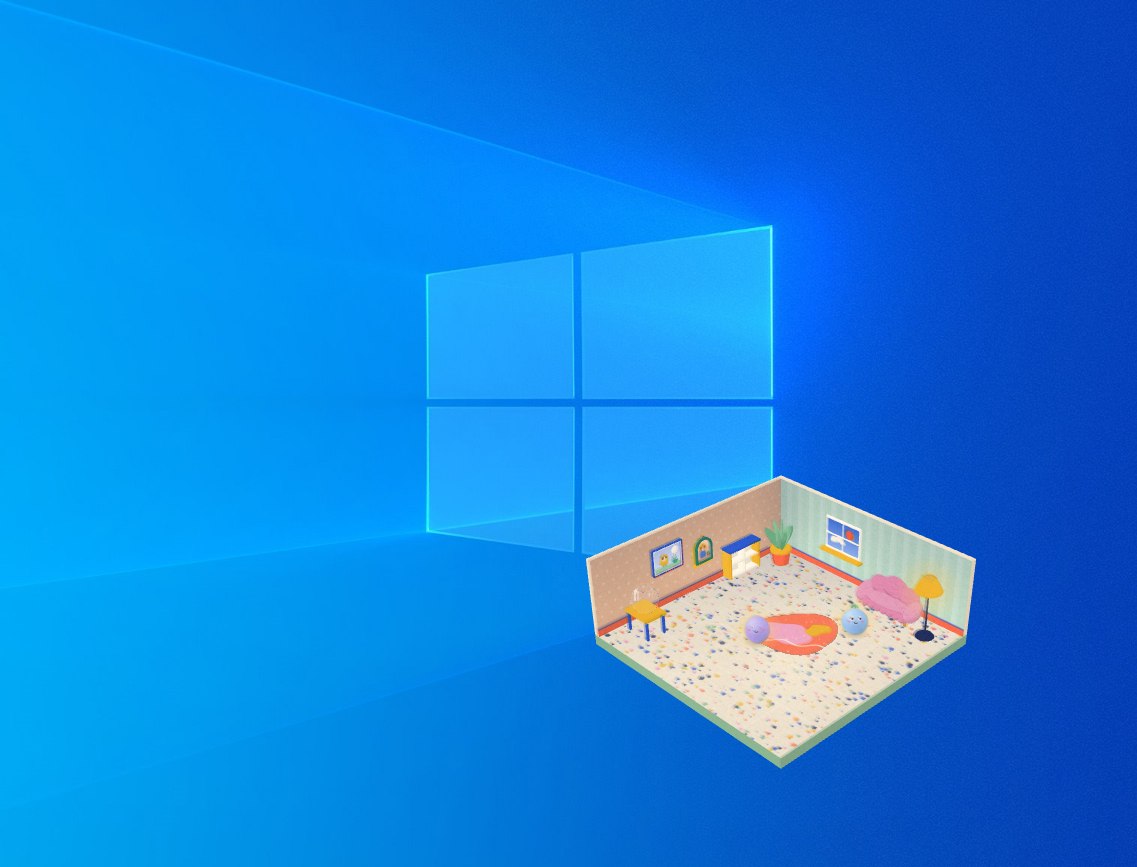
Pew Pew Jar pinned in the corner of a real Windows desktop 真实效果:钉在桌面角落,不挡着其他窗口 What it actually looks like — tucked in a corner, out of your way
使用方式
How It Works

用起来很简单

Simple on purpose

从召唤一个 Pew Pew,到它变成记忆球收进柜子——整个过程就这四步。

From summoning a Pew Pew to it becoming a memory orb in the cabinet — here's the whole flow in four steps.
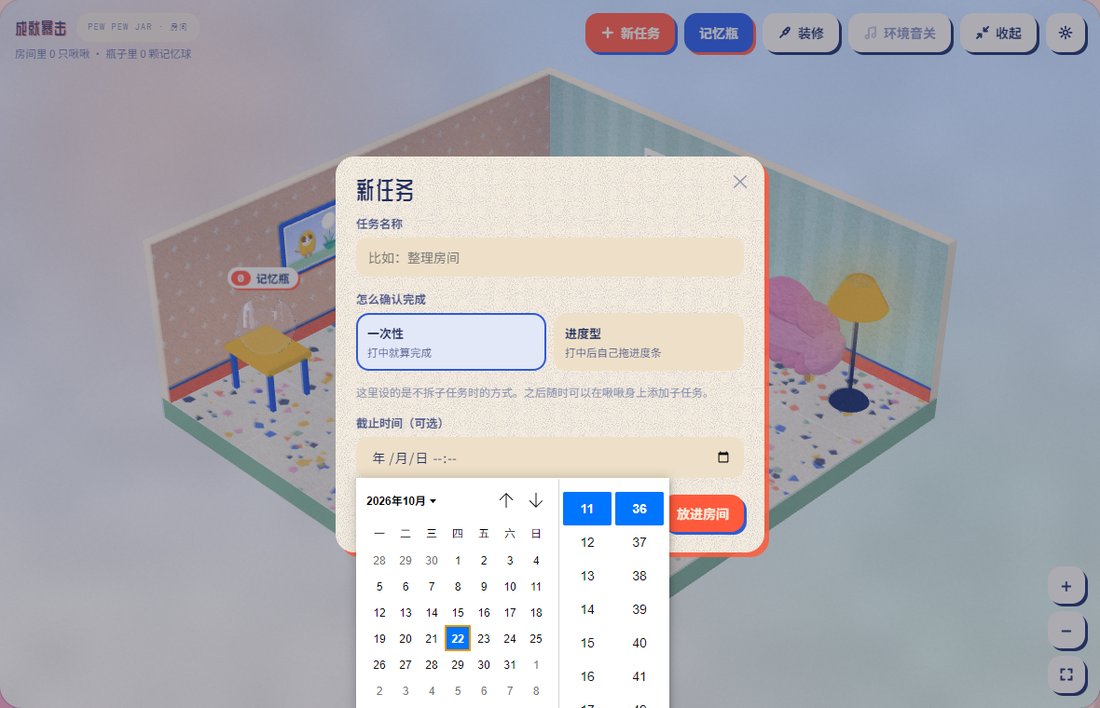
The new task dialog, with an optional deadline and a note that subtasks can be added later 1
召唤一个 Pew PewSummon a Pew Pew 新建任务就会出现一只;截止时间随意,之后还能加子任务Create a task and it appears — the deadline is optional, and you can add subtasks later
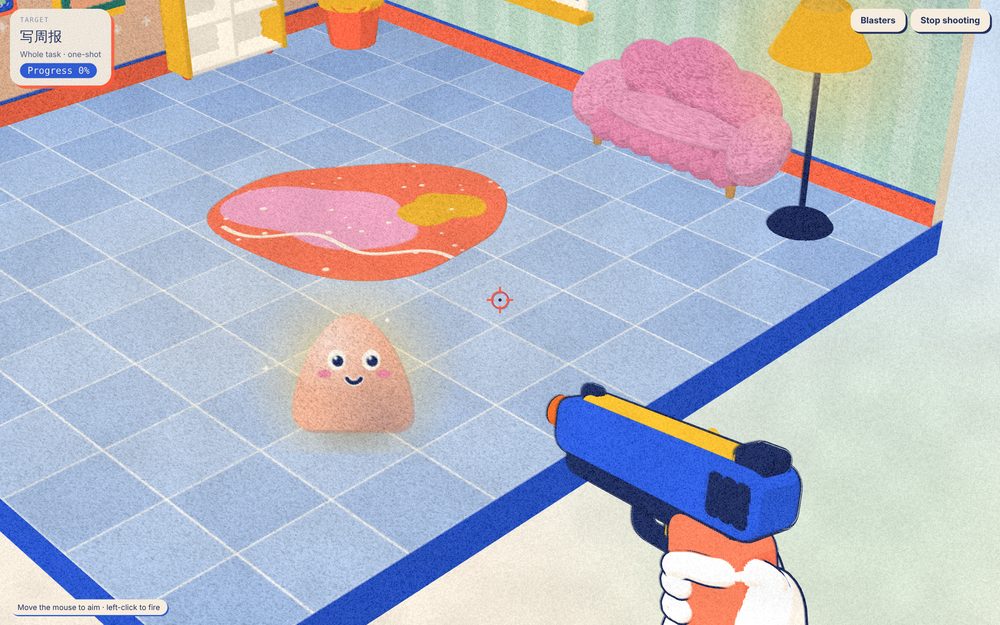
Aiming a toy blaster at a task pew, first-person view 2
用玩具枪确认进度Confirm progress with a toy blaster 枪皮和枪型都能换;一次性任务一枪就算完成Gun skins and models are swappable — a one-shot task is done in a single hit
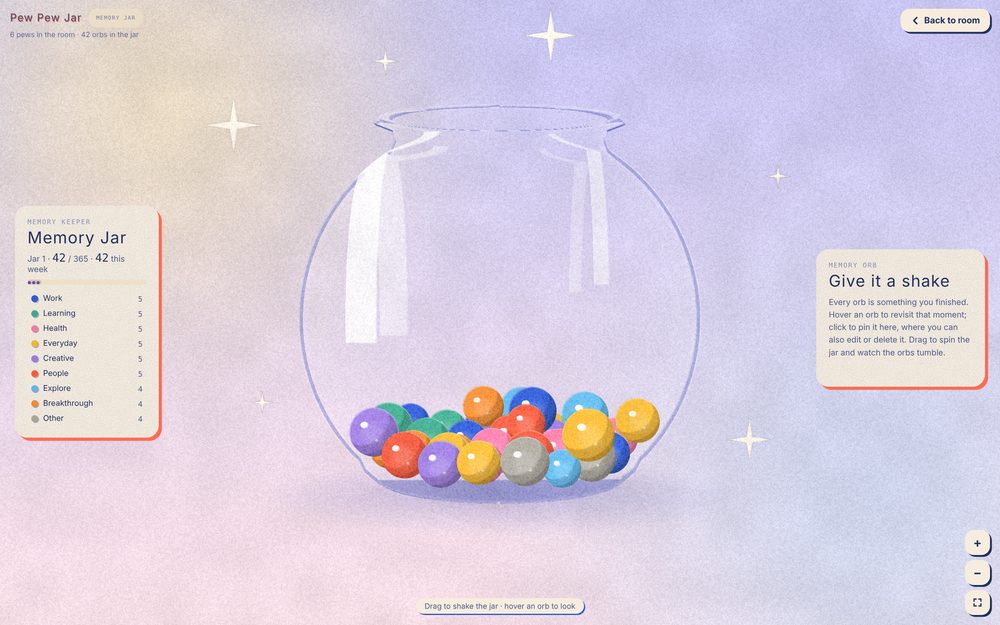
Memory jar filled with colorful orbs from completed tasks 3
变成一颗记忆球Becomes a memory orb 可以选分类和当下的心情,再收进记忆瓶Pick a category and how you're feeling, then it drops into your jar
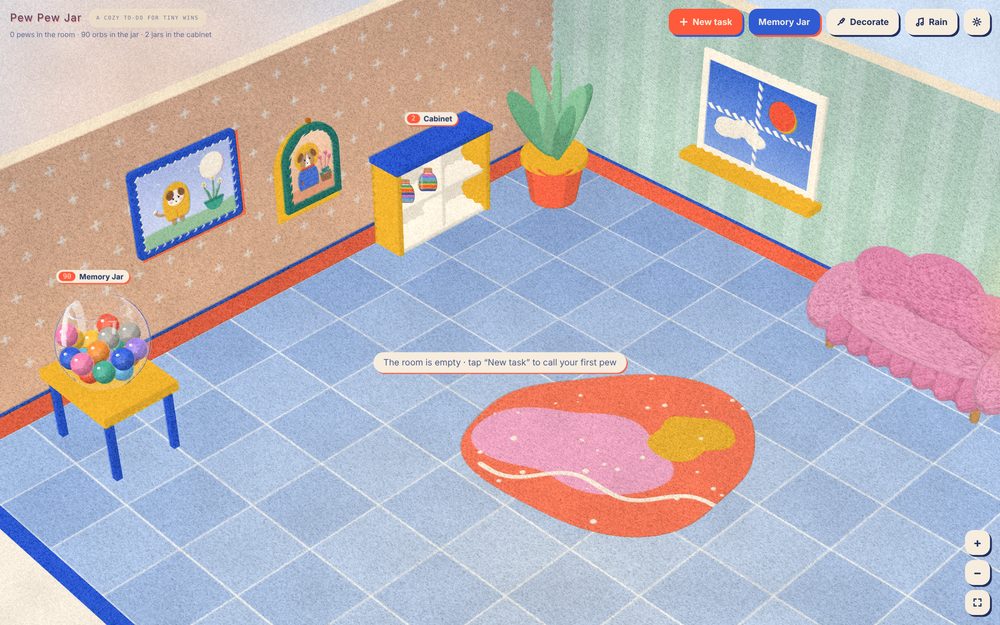
Wooden cabinet holding sealed jars of 365 memory orbs each 4
瓶子满了,收进储物柜A full jar goes in the cabinet 每满 365 颗封一瓶,摆上柜子Every 365 orbs seals into a jar on the shelf

可以这样自定义

Make it your own

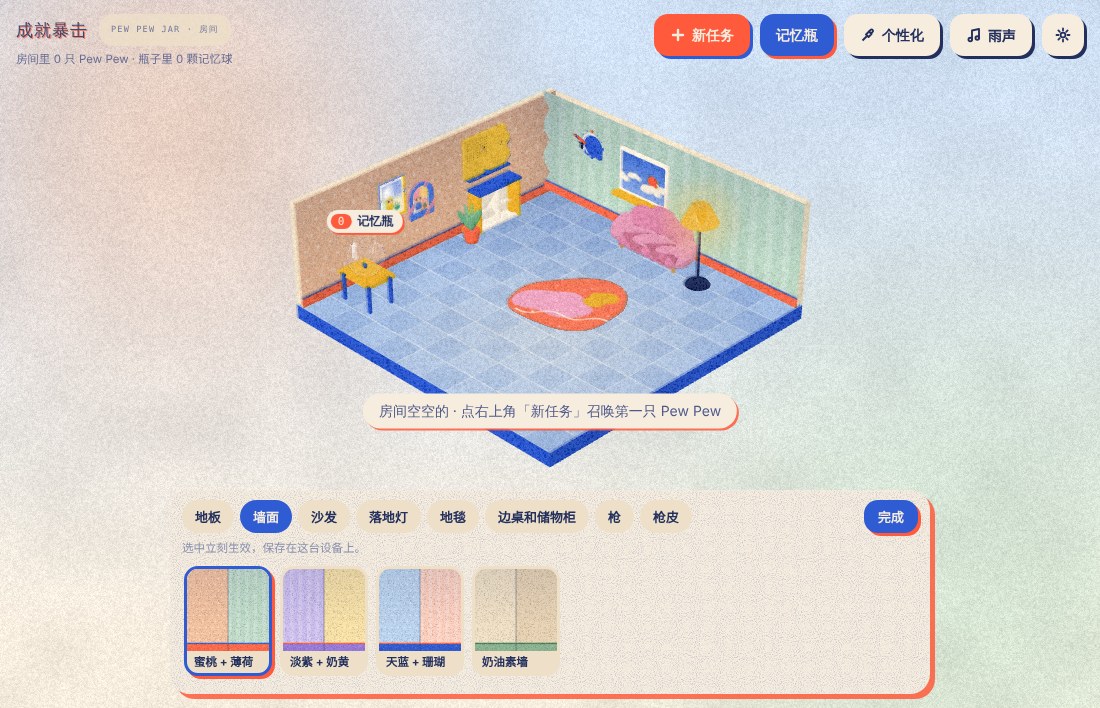
Wallpaper and flooring picker inside the Personalize bar

墙纸、地板和家具款式都可以随时换

Swap the wallpaper, flooring and furniture styles anytime

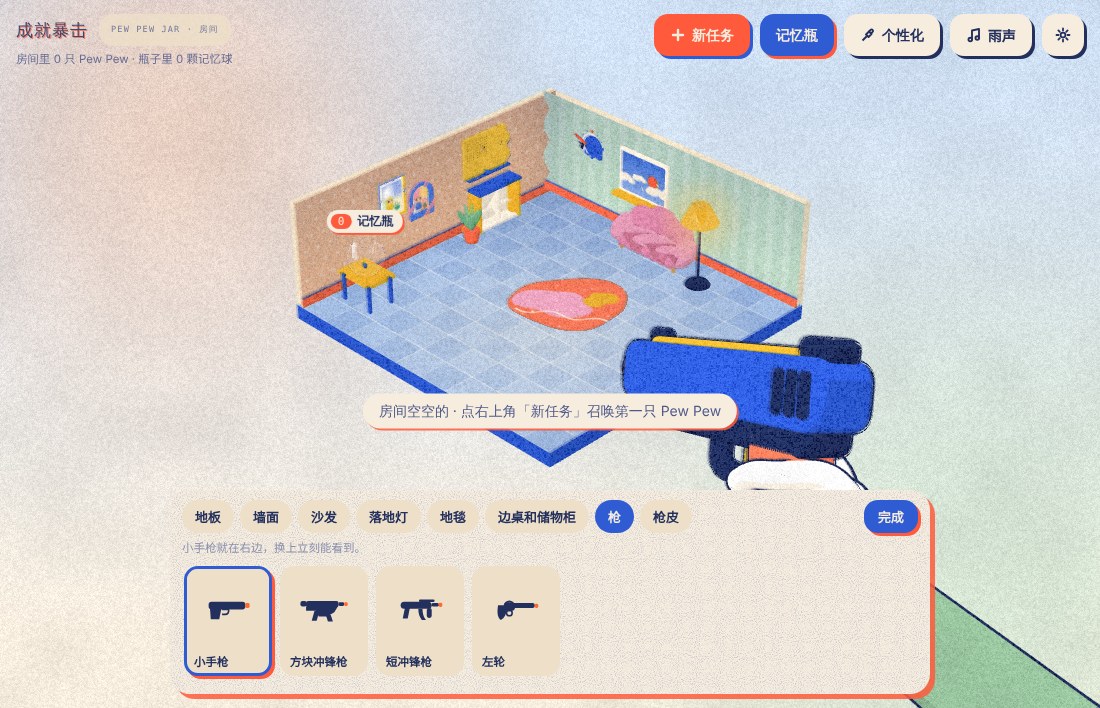
Gun type picker inside the Personalize bar

玩具枪的类型和枪皮也在「个性化」里,都能随时换

The blaster type and its skin live in the same Personalize bar — swap either anytime

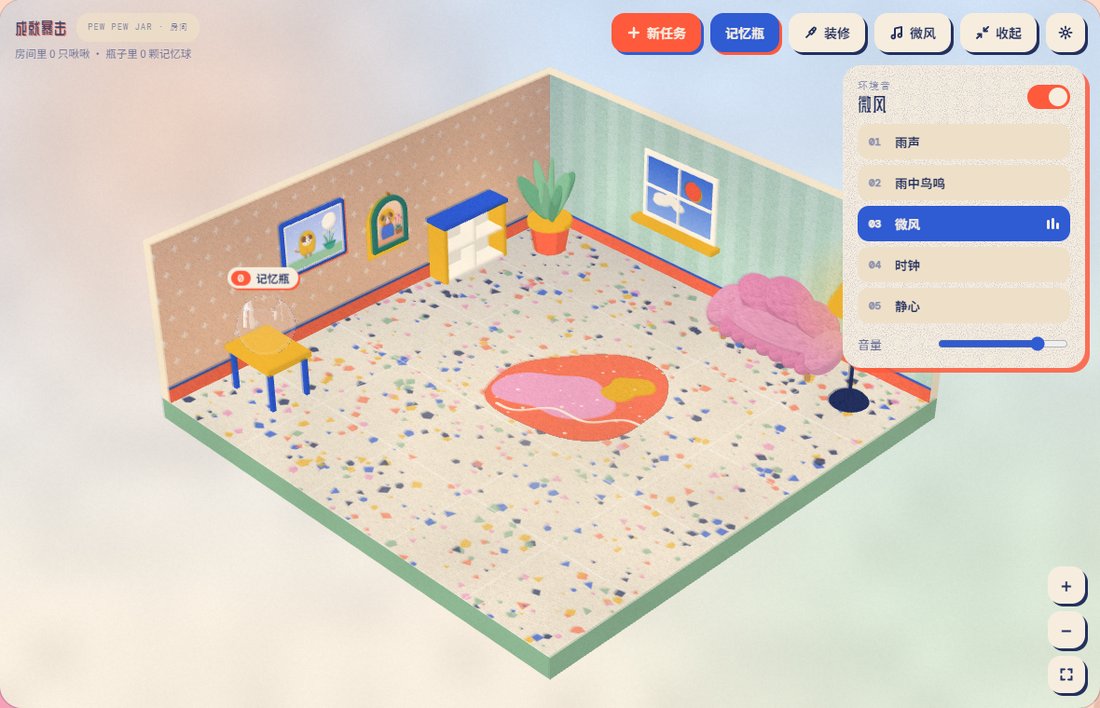
Ambient sound panel with rain, breeze and other tracks

自带白噪音和轻音乐,随时切换播放或静音

Built-in ambient sounds and light music — play or mute anytime

每只 Pew Pew 都不一样,还会随时间变化

Every Pew Pew looks different — and changes over time

每次新建任务,出现的 Pew Pew 颜色和形态都是随机的;它的状态也会跟着时间和进度变化。

Each new task spawns a randomly colored, randomly shaped Pew Pew — and its look shifts as time and progress change.

Several differently colored and shaped Pew Pews — one glowing and awake, one asleep past its deadline

颜色形态随机;时间充裕时清醒发光,过了截止时间会暗下来睡着

Random colors and shapes — glowing and awake with time to spare, dim and asleep once the deadline passes

Shooting a Pew Pew that already has partial progress, energy glowing inside it

做了一部分进度,能量会在它身体里聚集

Partial progress builds up as glowing energy inside it

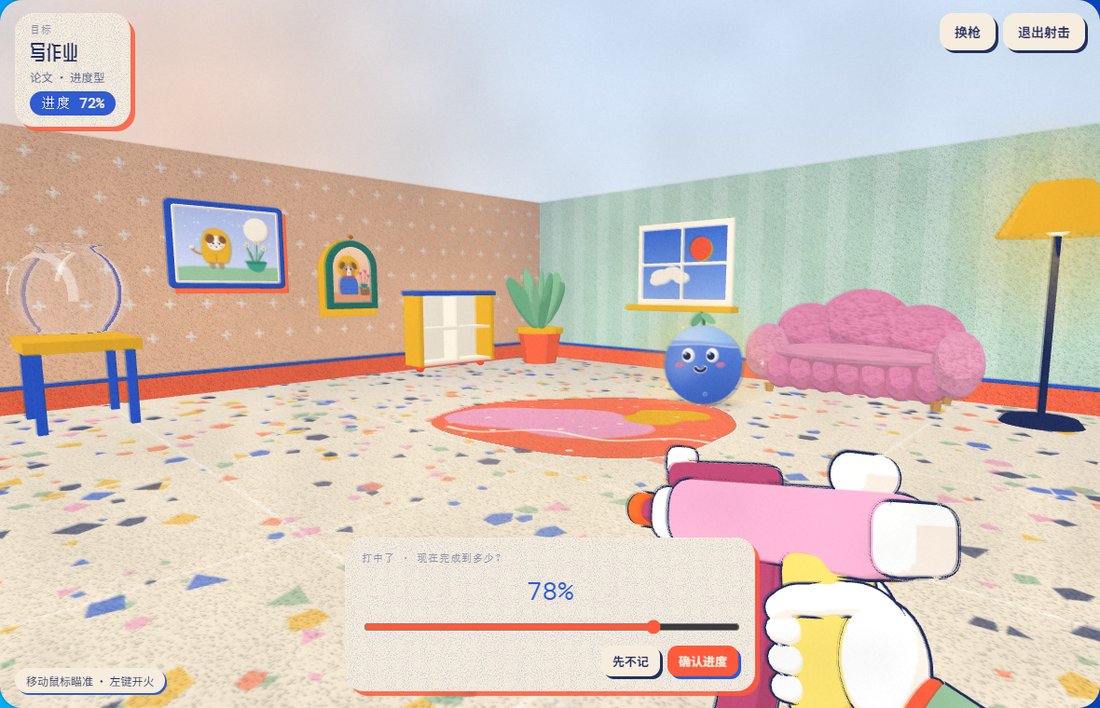
After a hit, dragging a slider to set how much of a progress-type task is done

进度型任务每次打中后,自己拖动滑条确认完成了多少

For progress-type tasks, each hit lets you drag a slider to set how much is done

🖥️

常驻桌面,不碍事

Lives on your desktop

Windows 版可以一直置顶在桌面一角,随手拖动、放大缩小,空白处点击直接穿透,不影响你做别的事。

On Windows it stays on top in a corner of your screen. Drag and resize it freely; clicks on empty space pass straight through, so it never gets in the way.

🎯

轻松有反馈感

Lightweight feedback

不是冷冰冰的打勾列表,每一点进度都有真实的视觉反馈。

Not just a checklist — every bit of progress gets a real, physical response.

🏠

房间会慢慢变满

A room that fills up

任务积累成瓶子,瓶子积累成柜子,日积月累都看得见。

Orbs become jars, jars become a cabinet — your progress stays visible over time.

🎨

可以装饰房间

Decorate your room

墙纸、地板、沙发、落地灯、地毯,还有成套的边桌和储物柜,都有几种款式可以换;家具摆放的位置是固定的。窗外的天色跟着你的本地时间走,早晚能看到日出日落,天黑了可以点亮落地灯。

Wallpaper, flooring, the sofa, floor lamp, rug and a matching side table and cabinet each come in a few styles. Furniture stays in its place. The sky outside the window follows your local time — sunrise, sunset and all — and you can switch the floor lamp on when it gets dark.

🎧

自带白噪音和轻音乐

Built-in ambient sound

雨声、微风等白噪音和轻音乐,随时切换播放或静音。

Rain, wind and other ambient sounds and light music — play or mute anytime.

📝

随手贴便签

Sticky notes

点墙上洞洞板的便签纸就能写一张,便签本里可以复制全部或导出 .txt。Windows 版的便签会一直贴在桌面最上层,网页版浮在页面上。

Click the note pad on the pegboard to jot one down; the notebook can copy them all or export a .txt. On Windows notes stay on top of your desktop; in the browser they float over the page.

⏰

Pew Pew 挂钟和计时器

Pew Pew clock & timer

墙上的挂钟显示真实时间;点一下打开发条计时器,1–60 分钟,滴答声可以关,时间到了钟上的小手枪会吹出一串彩色泡泡提醒你。

The wall clock shows the real time. Click it for a wind-up timer (1–60 min, tick sound optional); when time's up, the little pistol on the clock blows a stream of candy-coloured bubbles.

🌐

中英双语,免费使用

Bilingual & free

设置里随时切换中文 / English,完全免费,无广告、无需账号。

Switch between English and 简体中文 anytime in Settings. Free, no ads, no account.

🔒

数据只在你的设备上

Your data stays with you

任务、记忆球、装修和便签都只保存在你的电脑或浏览器里,可以随时导出备份。

Tasks, memory orbs, your room and notes are saved only on your computer or in your browser. Export a backup anytime.

适合这样的人

Who It's For

  • 希望日常任务能带来更多成就感Want to make everyday tasks feel more rewarding
  • 觉得传统待办清单有些枯燥Find traditional to-do lists a little too boring
  • 喜欢有趣的视觉设计、收集元素,以及一点点进步带来的满足感Enjoy playful visuals, collecting things, and small moments of progress
  • 希望找到一种更轻松、更适合自己的方式来保持动力Need a gentler, more personal way to stay motivated
  • 喜欢把日常中的小小进展变成值得庆祝的事情Like the idea of turning small steps into something worth celebrating

你不需要是游戏玩家。只要带上自己的日常任务,一次完成一小步就好。

You don't need to be a gamer. Just bring your everyday tasks — and take them one step at a time.
下载
Download

开始你的第一个「Pew Pew」

Meet your first pew

Windows 桌面版Windows Desktop

透明小房间常驻屏幕角落,随时点开确认任务。

A tiny transparent room that lives in the corner of your screen.

免费下载Free Download

⚠️ 首次运行若提示「Windows 已保护你的电脑」,点「更多信息 → 仍要运行」即可(安装包暂未做数字签名)。

⚠️ If Windows SmartScreen warns you, click "More info → Run anyway" (the installer isn't code-signed yet).

目前桌面版仅支持 Windows,暂不支持其他操作系统。

The desktop app is currently Windows only — other platforms aren't supported yet.

🌐网页版Web Version

不需要安装,直接在浏览器里玩。

No install needed — play right in your browser.

Mac 用户可通过浏览器体验;Windows 用户可先试玩,再决定是否下载安装桌面版。Mac users can try it in their browser. Windows users can try it online before downloading the desktop app.
在浏览器中打开Open in Browser
1

下载安装包

Download

点上方「免费下载」,得到 Setup.exe 安装文件。

Click "Free Download" to get the Setup.exe installer.

2

运行安装

Install

双击运行,按提示完成安装,几秒钟即可。

Double-click and follow the prompts — it only takes a few seconds.

3

开始使用

Get started

小房间会出现在屏幕角落,新建你的第一个任务吧。

Your little room appears in the corner — create your first task.

创作者
Creator

关于创作者

About the Creator

有想法或遇到问题?欢迎写信:Feedback or bugs? Email me:
支持开发者
Support the Developer

本软件可以免费使用。如果你喜欢它,也欢迎请我喝杯咖啡,支持我的创作!☕💛

The software is free to use, but if you enjoy it, you're welcome to buy me a coffee! ☕💛

每一份支持我都非常感激,也会成为我继续完善这个小项目的动力。

Every bit of support is appreciated and helps me keep improving this little project.

国内渠道

Mainland China

赞赏码还没有上传,之后会显示在这里
QR code coming soon

微信扫码,自愿支持,金额随意。

Scan with WeChat to leave a tip of any amount.

海外渠道

International

Support Me on Ko-fi 去 Ko-fi 支持Support on Ko-fi

通过 Ko-fi 请我喝杯咖啡,金额随意。

Buy me a coffee on Ko-fi, any amount is appreciated.

打赏完全自愿,不会解锁任何额外功能,也不是使用的必要条件。 Tips are entirely optional, unlock nothing extra, and are never required to use it.
联系我
Contact

有想法或遇到问题?

Got feedback or found a bug?

直接在下面写就行,会发到我的邮箱,我看到都会回。

Write it below — it goes straight to my inbox, and I read every message.